Pixel Z Codes
Redeem steps, where codes drop, and honest active/expired status for this brand-new FighterZ-style Roblox game.
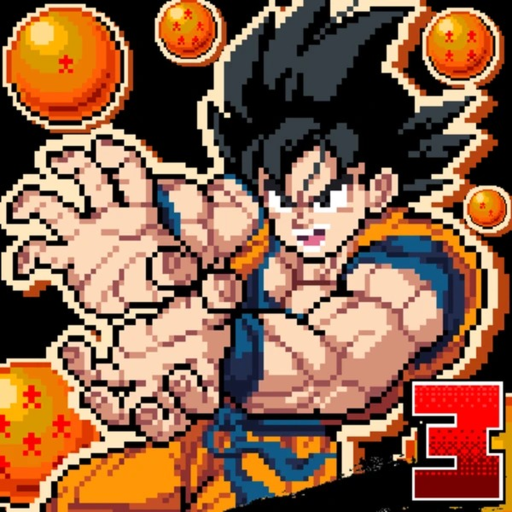
Promo codes are one of the fastest ways to grab free rewards in Roblox battlegrounds games—extra currency, booster pulls, cosmetics, or limited skins—without grinding every match. Pixel Z (also listed as Pixel Z [SKINS!]) launched on 4 November 2026 from the That One Fighting Game group, so the codes scene is still forming. This hub explains how redemption usually works, where to look when codes drop, what is confirmed today, and how to stay safe while you wait.
If you are brand new, pair this page with Getting Started, the Tier List Hub, and Scripts only after you understand the real combat loop. Codes should speed up progression, not replace learning controls and combos.
Active codes (mid-November 2026)
No widely published active Pixel Z promo codes are confirmed as of mid-November 2026. The game is brand new, visits are climbing past roughly 725k with strong concurrent peaks, and the community is watching group shouts and update posts more than a mature codes spreadsheet.
| Code | Reward | Status |
|---|---|---|
| — | — | Checking / none confirmed yet |
We keep this table honest on purpose. Listing invented strings wastes your time and can get people sharing phishing links that look like “codes.” When a real code appears, update this section with the reward, any level or account requirements, and an expiry note if the developers publish one.
Expired codes
| Code | Notes |
|---|---|
| — | No expired public codes archived yet |
As patches and skins updates roll out, move dead codes here instead of deleting history. Players searching old YouTube thumbnails often land on expired strings; an expired list stops confusion.
How to redeem codes in Pixel Z
Exact UI labels can shift after a skins or quality-of-life patch, but the redemption flow on Roblox fighters usually follows the same pattern:
- Launch Pixel Z from the Roblox game page on PC, phone, tablet, or controller.
- Finish any forced tutorial or first-load prompts so the lobby / menu is fully unlocked.
- Open the in-game Shop, Rewards, Settings, or Codes panel (wording varies by update).
- Find the text field labeled for codes, gifts, or redeem.
- Paste the code exactly—codes are almost always case-sensitive and hate extra spaces.
- Confirm, then check inventory, currency, or booster pack counters for the reward.
If nothing happens, leave the server and rejoin once, then try again. Server replication lag is common right after a hot update. If the button stays greyed out, you may still be in a match, CPU training room, or a UI state that blocks shop access—return to the main lobby first.
New players should learn the core loop before hunting codes: controls, early CPU practice, then booster packs so free pulls actually land on fighters you understand.
Where Pixel Z codes usually appear
Because the title is early, treat these channels as the priority watch list:
- That One Fighting Game group shout — group page. Group shouts and wall posts are the classic Roblox code drop channel for fighting games with frequent skins updates.
- In-game update banners / patch notes — skins updates and balance patches often tease or ship a thank-you code.
- Official Discord (if linked from the group or game description) — event codes, milestone codes, and hotfix apology codes tend to land here first.
- Creator social posts — short clips and update trailers sometimes hide a code in the caption; verify it against the group before redeeming random comment spam.
- This wiki’s Updates Hub — we track patch themes and will call out code drops when they are confirmed.
Milestone moments that often spawn codes in similar games: visit thresholds, concurrent peaks, fighter roster expansions past the current 40+ roster, seasonal skins drops, and major ELO season resets.
Why codes matter for Pixel Z progression
Pixel Z is a 2D pixel-art fighter in the Dragon Ball FighterZ lane: light / medium / heavy normals, specials, ultimates, ki charge, dragon rush, guard, dash, and transforms. Progress is not only “win more ranked games.” You also unlock and skin a large roster through booster packs, then climb online ELO and Wins leaderboards.
Codes typically accelerate one of three things:
- Soft currency for pack openings or retries.
- Direct pack tickets / pulls so you sample more archetypes faster.
- Cosmetic skins that do not change frame data but keep the skins-update economy exciting.
Spending free rewards wisely matters more than redeeming fast. Open packs toward all-rounder starters first (see Best Starters and the Players Hub), then chase niche rushdown or zoning mains once you can execute combos consistently. A free pull on a grappler you cannot land is worse than saving currency for a character that matches your muscle memory.
Safety rules (read before anything that promises free Robux)
- Never enter your Roblox password into a “Pixel Z codes generator,” “free Robux,” or third-party redeem site.
- Real codes are redeemed inside the Roblox experience or through official Roblox flows—not random browser forms.
- Ignore DMs that say they need your account to “apply a code.”
- Scripts and executors are a separate risk category—see the Scripts Hub for feature lists and ban warnings. Codes do not require injectors.
- If a code asks you to join ten unrelated groups or enable weird browser extensions, it is not a Pixel Z promo code.
Healthy habit: bookmark this page, the Updates Hub, and the official group. Check them after every skins update instead of googling “Pixel Z codes” into ad-heavy listicles that invent strings.
What to do while you wait for the first big code drop
- Complete the onboarding path in Getting Started.
- Memorize the PC layout on Controls (WASD, U/I/O, J/K/L, Space, H, E, T, P).
- Drill light-medium-heavy routes on Combos against CPU before ranked.
- Learn when to transform so ki is not wasted.
- Study archetypes on the Tier List and practice climbing tips on ELO Ranked.
- Plan pack openings with Booster Packs.
Codes will feel better when they land on a player who already understands rushdown vs zoning, dragon rush timing, and rematch etiquette. Pixel Z’s concurrent player counts prove the online scene is active—use free rewards to deepen that scene, not to skip fundamentals.
FAQ-ready checklist when a code goes live
When we confirm a code, we will answer: exact spelling, reward type, whether it is one-time per account, whether new accounts qualify, and whether it expires with the next skins patch. Until then, the accurate status remains checking / none confirmed. Check back after major updates, and cross-link from Official Links if the group posts a new redeem path.
Frequently Asked Questions
Quick answers for Pixel Z players.
Are there any working Pixel Z codes right now?
As of mid-November 2026, no widely published active promo codes are confirmed. The Active codes table stays empty on purpose until a group shout, Discord post, or in-game banner is verified.
Where do I redeem Pixel Z codes?
Open Pixel Z, reach the lobby menus, then look for a Shop, Rewards, Settings, or Codes panel with a text field. Paste exactly, confirm, and check inventory or currency. UI labels can change after skins updates.
Where will new Pixel Z codes be posted?
Watch the That One Fighting Game group shout, in-game update banners, any official Discord linked from the group, and this wiki’s Updates hub after patches.
Do I need a script or executor to redeem codes?
No. Codes redeem in the normal game UI. Executors are unrelated and carry ban risk—see the Scripts hub if you research them separately.
Are Robux generator sites tied to Pixel Z codes safe?
No. They are scams. Real codes never ask for your password or promise free Robux through a browser form.