Pixel Z Guides
From first CPU match to ranked ELO—every core tutorial linked for this Dragon Ball FighterZ-style Roblox fighter.
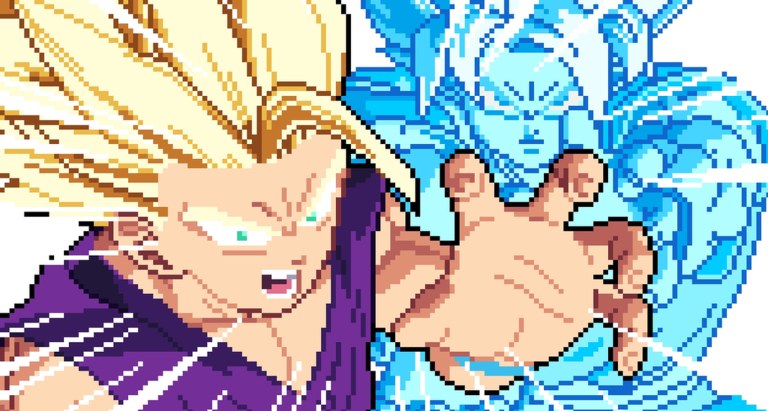
Welcome to the Pixel Z guides hub. Pixel Z (Pixel Z [SKINS!]) is a 2D pixel-art battlegrounds fighter from That One Fighting Game, live on Roblox since 4 November 2026. You will fight with light, medium, and heavy normals, specials, ultimates, ki, dragon rush, guard, dash, and transforms—then climb online ELO while unlocking 40+ fighters through booster packs.
Use this page as the map. Each child guide is written to stand alone, but they are designed to be read in a sensible order if you are new.
Start here (day one)
- Getting Started — join the experience, finish the tutorial mindset, fight CPU, open early packs, then touch ranked. Featured walkthrough with a real launch overview video.
- Controls — full PC keyboard map (WASD, U/I/O, J/K/L, Space, H, E, T, P), special-move syntax, Pause → List of Movements, plus mobile/controller notes.
- Combos — light-medium-heavy chains, special cancels, ki management, dragon rush examples, and lab habits that survive online delay.
Intermediate systems
- How to Transform — when to press T, ki cost thinking, mid-fight timing, and why Beast-style converts show up in community showcases.
- ELO Ranked — how online ranks behave, rematch etiquette, practice order, and climbing tips that do not depend on scripts.
- Booster Packs — how packs unlock fighters and skins, what to open first, and how to avoid wasting currency on niches you cannot pilot.
How these guides connect to the rest of the wiki
- Compare your mains on the Tier List Hub after you can land a confirm.
- Browse the roster mindset on the Players Hub and Best Starters.
- Check Codes when free rewards drop (none widely confirmed yet in mid-November 2026).
- Read Scripts only if you are researching executor risks—not as a substitute for lab work.
- Follow Updates after skins patches so guide advice stays aligned with the live build.
- Keep Official Links bookmarked for the Roblox game page and creator group.
What “good practice” looks like in Pixel Z
A productive hour is not twenty angry ranked rematches. It looks like:
- Ten minutes reviewing the control sheet and your fighter’s movement list.
- Twenty minutes of CPU confirms from the combos guide.
- Ten minutes of transform timing drills with intentional ki charges (H).
- Twenty minutes of ranked sets with a post-match note: “lost to zoning,” “dropped medium confirm,” or “transformed too early.”
That loop scales from your first day to high Wins leaderboard pushes. Pixel Z already sees hundreds of thousands of visits and multi-thousand concurrent players—enough traffic that every bad habit will be punished by someone who labbed longer.
Guide standards on this wiki
- Internal links always use trailing slashes and stay locale-agnostic in the source.
- At most one YouTube embed per page, placed mid-article when present.
- No invented frame data presented as official; when the roster shifts, we update archetypes and practice methods first.
- Advice assumes PC keyboard as the reference layout, with notes for touch and controller players who share the same online ladder.
Suggested reading orders
Brand new: Getting Started → Controls → Combos → Best Starters → Booster Packs → ELO Ranked.
Returning after a skins update: Updates → Tier List → Combos (re-lab) → How to Transform → ELO Ranked.
Stuck in ranked: Combos → How to Transform → Tier List (counter-archetype) → ELO Ranked rematch notes.
Pick a path, open the first link, and keep this hub tabed for the next jump. The goal is not to memorize every fighter on day one—it is to build a repeatable pipeline from tutorial instincts to confident online sets.
Frequently Asked Questions
Quick answers for Pixel Z players.
Which Pixel Z guide should I read first?
Start with Getting Started, then Controls and Combos. Add How to Transform and ELO Ranked once CPU confirms feel comfortable.
Do these guides work on mobile?
Yes in principle—the systems are the same. Controls lists the PC reference keys and notes that phone, tablet, and controller players share the online ladder with remapped inputs.
How often are guides updated?
After meaningful skins or balance patches. Check the Updates hub, then re-lab Combos and Transform timing for your main.
Are scripts required to follow these guides?
No. These pages teach manual play. The Scripts hub exists for documentation and risk warnings only.
Where do fighter recommendations live?
See Best Starters and the Tier List hub. Guides focus on systems; Players pages focus on roster choices.