Getting Started with Pixel Z
A day-one path from the Roblox join button to your first confident online sets.
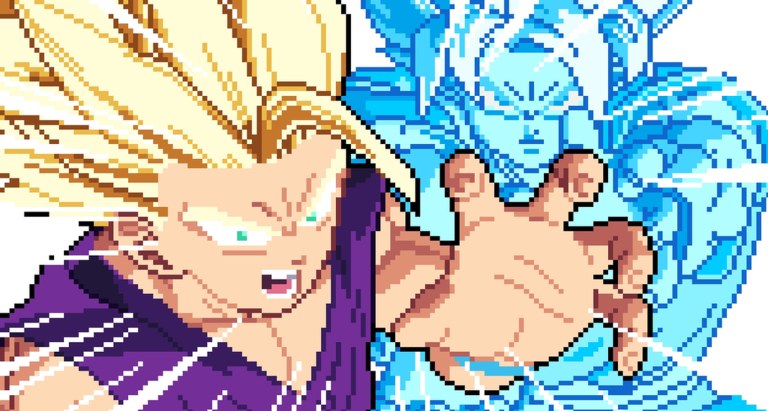
Pixel Z is a 2D pixel-art fighter on Roblox—think Dragon Ball FighterZ energy with ki meters, dragon rushes, transforms, and a growing 40+ fighter locker. It launched on 4 November 2026 from That One Fighting Game, already pulling hundreds of thousands of visits and busy concurrent lobbies. This guide is the on-ramp: join correctly, survive the first hour, and leave with a practice plan instead of random ranked tilt.
Bookmark the Guides Hub after you finish. You will reuse Controls, Combos, and ELO Ranked all week.
Step 1 — Join the real experience
Open the official page: Pixel Z on Roblox. Confirm the creator aligns with That One Fighting Game (group id 1028968958) so you are not on a copycat place. Favorite the game, then launch on PC, phone, tablet, or controller—progression is account-bound.
Optional but smart: join the creator group so skins-update shouts are visible. Cross-link hub: Official Links.
Step 2 — Treat the first load like a tutorial
Even if the experience drops you near a lobby quickly, slow down:
- Find the Pause menu (P on keyboard) and open List of Movements for your starter fighter.
- Note the universal combat verbs: Light U, Medium I, Heavy O, Special J, Ultimate K, Guard L, Dash Space, Charge Ki H, Dragon Rush E, Transform T.
- Skim special syntax: hold a direction + J, or Q + J, depending on the move. Details live on Controls.
- Do not open every shop tab yet—learn hit confirm feel first.
Mobile and controller players should locate the same actions on their layout. The online ladder does not care which device you use; it cares whether your confirms land.
Step 3 — Fight CPU before humans
Queue or enter CPU / training-style matches before ranked. Goals for the first ten fights:
- Land a light → medium → heavy chain without dropping the timing.
- Block a string with L and punish with a simple button.
- Dash (Space) in and out without panic mashing.
- Charge ki (H) once in a safe gap, then spend it on a special or ultimate intentionally.
- Try dragon rush (E) as a dedicated tool, not a panic button.
- Attempt one transform (T) only when you understand the ki trade (How to Transform).
If a route fails, open the movement list again instead of rematching on tilt. The Combos guide exists for structured lab work once this checklist feels easy.
Step 4 — Understand packs without emptying your wallet
Pixel Z pushes booster packs and skins. Early currency should unlock playable variety, not every cosmetic.
- Read Booster Packs before spamming opens.
- Prioritize an all-rounder comfort pick—see Best Starters and the Players Hub.
- Glance at the Tier List for roles, not for FOMO shopping.
- Check Codes after updates; as of mid-November 2026 no widely confirmed active codes exist yet, but redemption UI knowledge still matters.
Step 5 — Enter ranked with a tiny game plan
When CPU confirms are stable, move to online ELO / matches:
- Pick your labbed fighter only.
- Play sets, not infinite angry rematches against a hard counter you refuse to adapt to.
- After losses, label the failure: spacing, confirm drop, ki starve, or bad transform.
- Follow etiquette and climbing notes on ELO Ranked.
- Ignore script fantasies until you can win clean—Scripts documents risks, not a required toolkit.
Wins leaderboards and concurrent peaks (often thousands) mean you will meet both beginners and lab monsters. Your job on day one is consistency, not highlighting every round.
First-session schedule (about 60–90 minutes)
| Block | Time | Focus |
|---|---|---|
| Join + menus | 10 min | Pause movement list, settings, sensitivity |
| CPU lab | 25 min | Confirms, guard, dash, one special route |
| Pack decision | 10 min | One intentional unlock path |
| Transform drill | 10 min | Ki charge → T with a plan |
| Ranked sets | 20–30 min | Two or three sets, notes after |
Stop while you still have focus. A second short session the same day beats one exhausted three-hour spiral.
Common day-one mistakes
- Skipping the movement list and inventing specials that are not in the kit.
- Transforming at 10% ki because a YouTube thumbnail looked cool.
- Spending all currency on skins before you own two fighters you can actually pilot.
- Jumping into ELO with only mash knowledge—online players punish mash instantly.
- Chasing every new skins trailer on Updates instead of finishing one BnB.
What “ready for day two” looks like
You can explain your fighter’s win condition in one sentence, land a basic confirm on CPU ten times in a row, know when you are saving ki versus spending it, and you have bookmarked Controls, Combos, and Tier List. Optionally, you have a counter pocket planned from Players guidance.
Pixel Z rewards deliberate reps. The Z-fighter fantasy is real—the execution is on you. Finish this checklist, then keep drilling with the linked guides until ranked feels like a test you studied for, not a coin flip.
Frequently Asked Questions
Quick answers for Pixel Z players.
Is Pixel Z free to start on Roblox?
Yes—join from the official Roblox page. Optional purchases and packs exist, but you can learn controls and CPU play without spending.
Should I play ranked immediately?
No. Complete a CPU checklist first: confirms, guard, dash, one special, and a planned transform attempt. Then read ELO Ranked.
Where are the keyboard controls listed?
On the Controls guide: WASD move/jump, U/I/O normals, J special, K ultimate, L guard, Space dash, H ki, E dragon rush, T transform, P pause.
What should I unlock first from packs?
An all-rounder comfort fighter. See Best Starters and Booster Packs before chasing niche high-tier highlights.
Are there codes for new players?
None are widely confirmed yet as of mid-November 2026. Learn the redeem UI on the Codes hub so you are ready when one drops.